In spinal deformity surgery, planning is the mother of the outcome. Before entering the operating room, every surgeon runs the same questions through their head: which levels to fix, how much to correct, and how the part of the spine that stays free will respond. ScolioSim is a free tool that lets you rehearse those answers on a 3D model, with real-time animations of every option you can think of.
This article is written for spine surgeons and other professionals. If you are a patient, there is a short note for you at the end.
The mobility reserve of each segment, in real time
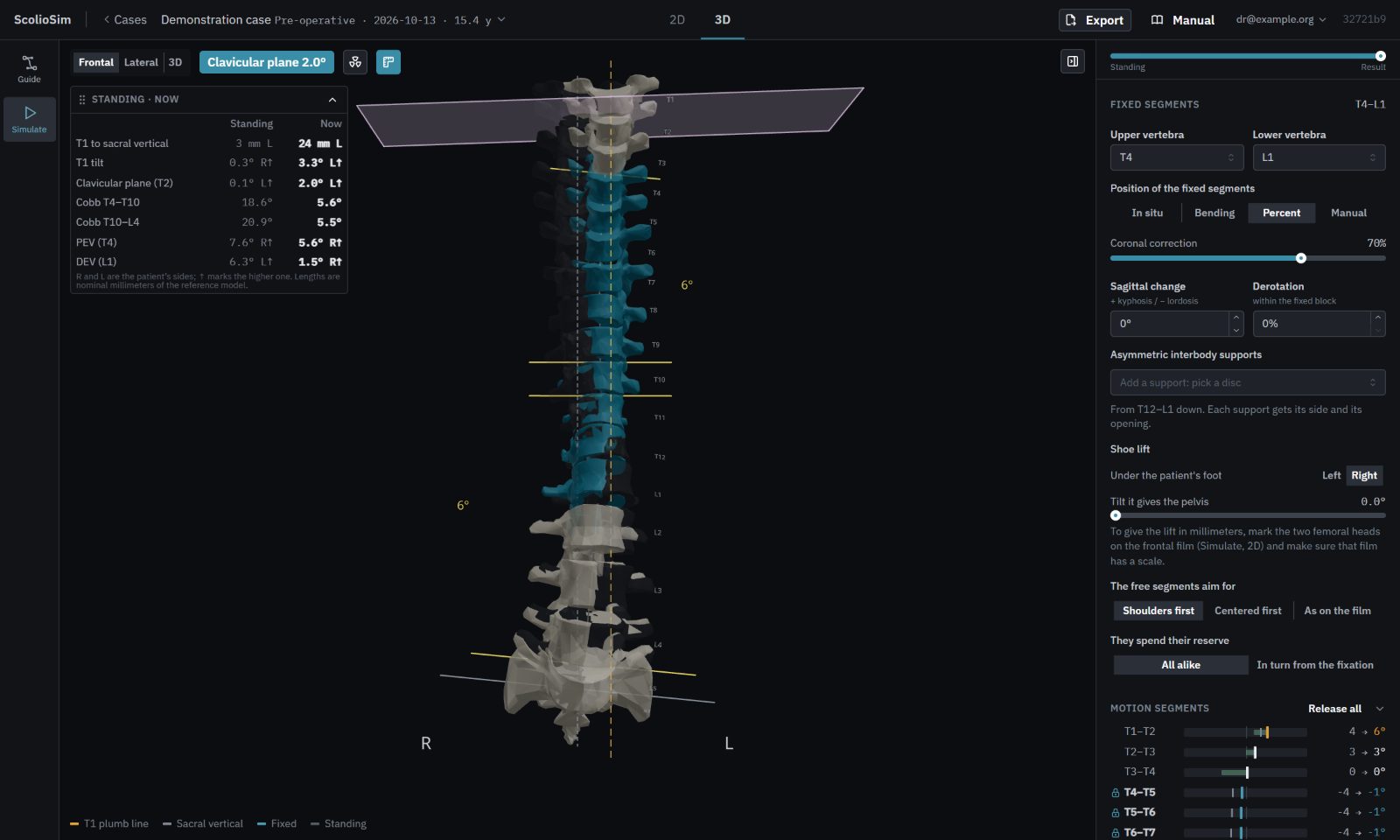
ScolioSim reads, from the patient’s own standing and bending films, how far each motion segment moved: its mobility reserve. When you fix a block, the free segments draw on that reserve to level the shoulders and centre T1, and they can never go beyond what they showed on the radiographs. Change the levels or the amount of correction, and the rest of the spine answers right away. A segment without a bending film is treated as rigid.
Full-length films in the operating room, from your phone
There is rarely a long cassette in theatre. Photograph the C-arm screen with your phone, shot after shot, mark a few points that two consecutive shots share, and ScolioSim stitches them into one full-length frontal or lateral film, ready to measure. C-arm images saved as DICOM can be used as well.
A 3D model: the patient’s own vertebrae, or a fitted reference spine
With a CT of the spine, the model is drawn with the patient’s own vertebrae. The CT is segmented on your own computer with TotalSegmentator, the open tool of the University Hospital Basel, through a free helper, and it never leaves your machine.
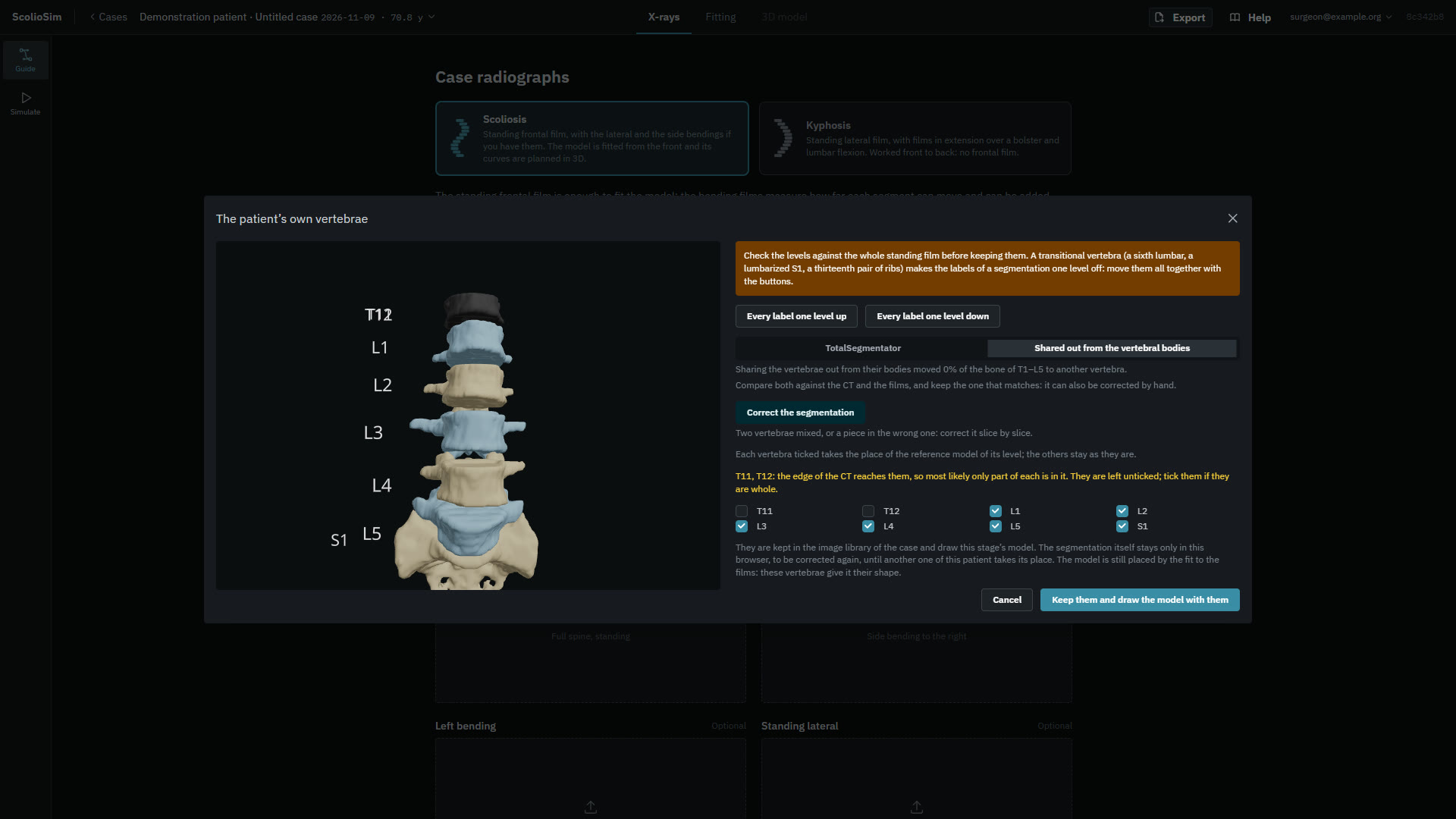
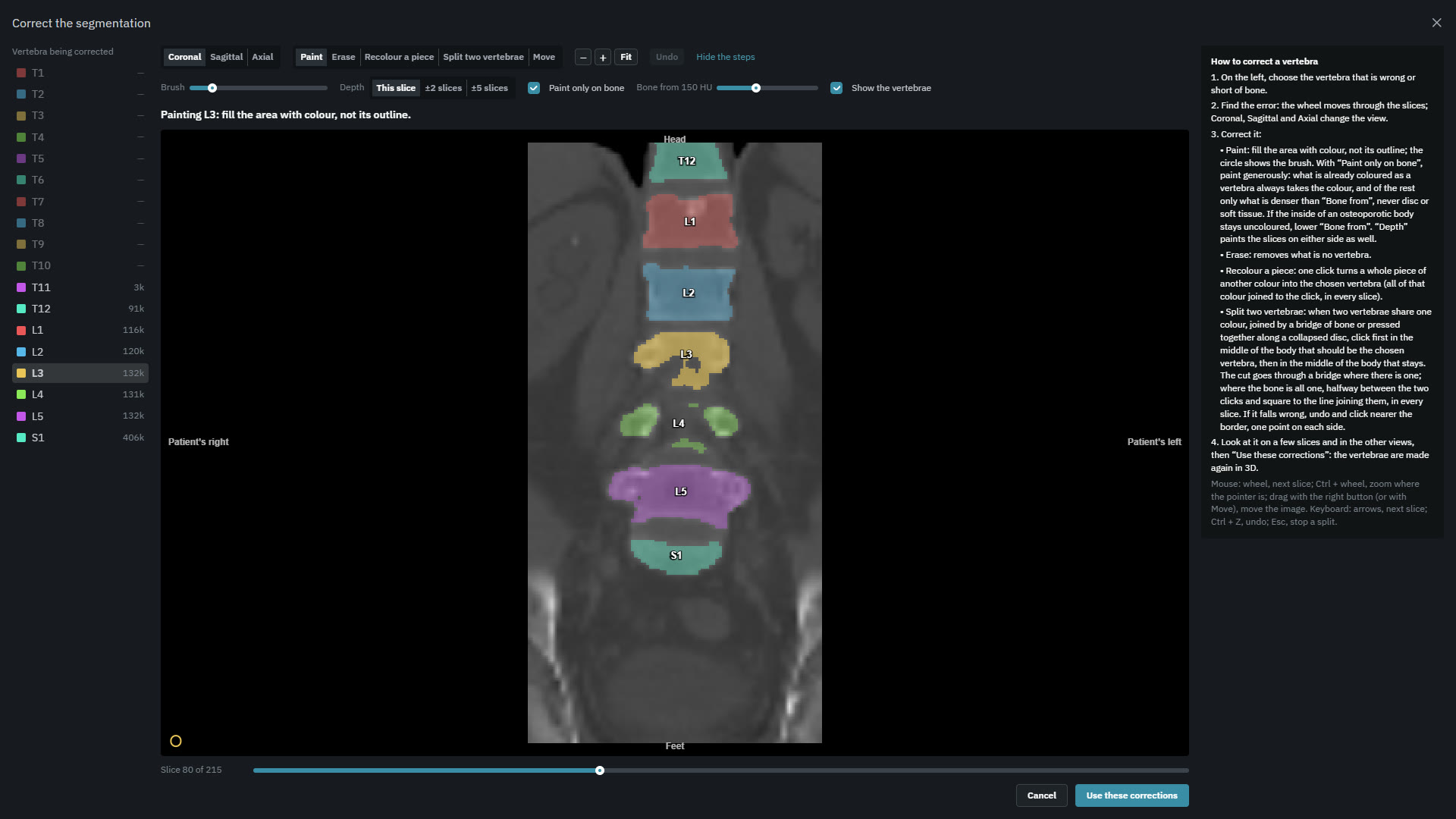
Without a CT, a reference spine is fitted to a handful of marks you place on the frontal and lateral films.
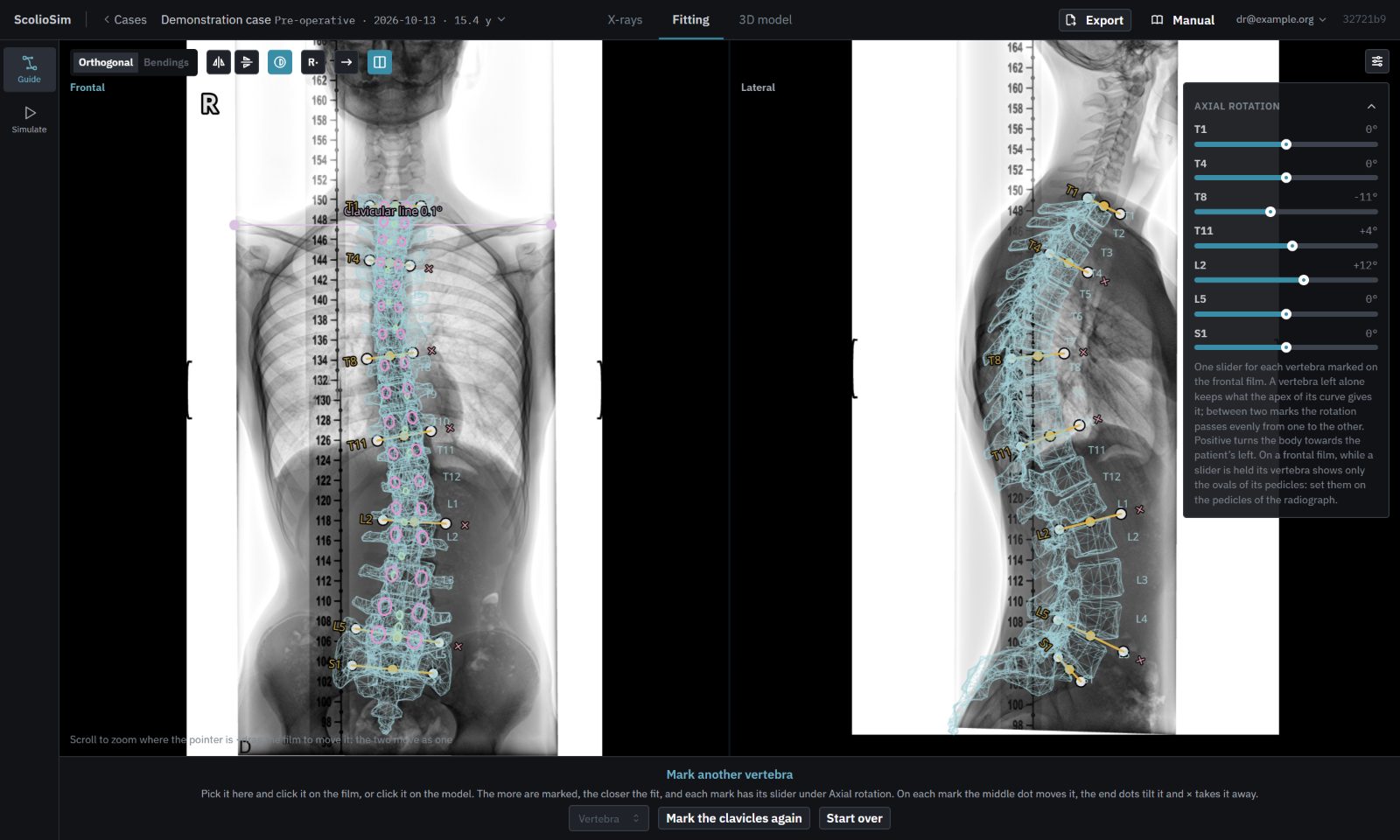
Simulate in 3D and compare as many plans as you like
Change the fused levels, the coronal correction, the kyphosis or lordosis and the axial rotation, and watch how the free segments adapt within their reserve. Keep as many plans as you want for the same stage of the patient, a long construct against a short one for example, and compare them side by side with their figures.
And all the classics on the radiograph
- Measurements: Cobb, angles, distances, coronal balance and shoulder height, with the film’s own scale or one you calibrate.
- Classifications: Lenke for adolescent idiopathic scoliosis, Roussouly for the sagittal shape, and the GAP score.
- Spinopelvic parameters: PI, PT, SS, lumbar lordosis, PI−LL, thoracic kyphosis, TPA and SVA on the lateral film.
- Planning on the film itself: symmetric or asymmetric interbody cages, pedicle subtraction and SPO/Ponte osteotomies, vertebral column resection and reduction of a spondylolisthesis, with the parameters updated as the film is cut and moved.
Free, and your patients stay on your computer
Until now, simulating with each segment’s own mobility meant expensive systems or research labs. ScolioSim is free for any surgeon and runs in the browser. Your patients’ data never reach our servers: the cases are kept in a folder on your own computer, and the only thing on the server is your account. A case is shared anonymised, as a PDF report or a case file, without going through us.
It is not a forecast
ScolioSim does not predict the result of an operation. It offers several mathematical approaches to a biomechanical problem: shoulders first or centred first, the reserve spent alike by every free segment or in turn as they move away from the fixation. Each surgeon can compare those variants with what they see after surgery and, perhaps one day, we will be able to predict better. For now we are only playing, but playing is another way of learning.
How to start
Go to scoliosim.com and sign in with your email or your Google account. It works on a desktop computer, best in Chrome or Edge, which can keep the case library in a folder of your choice. The site also has free guides on the Lenke classification, the Roussouly classification, spinopelvic parameters and osteotomy planning on the radiograph.
A note for patients: ScolioSim is a tool for surgeons, not a diagnosis or a treatment. If you have scoliosis or another spinal deformity, the plan for your case is something to talk through with your surgeon.